EvtxEcmd is a command-line tool which parses Windows Event Logs into different formats such as CSV, JSON, XML, etc. You may use this tool in conjunction with [[Timeline Explorer]] , created by the "EZ". Timeline Explorer is a GUI-based tool that functions as a data filtering and navigating application to ease incident responders in handling raw data.
To parse any provided logs, we need first to convert the EVTX logs into CSV using EvtxEcmd and then feed it into Timeline Explorer.
First convert EVTX to CSV using EvtxECmd
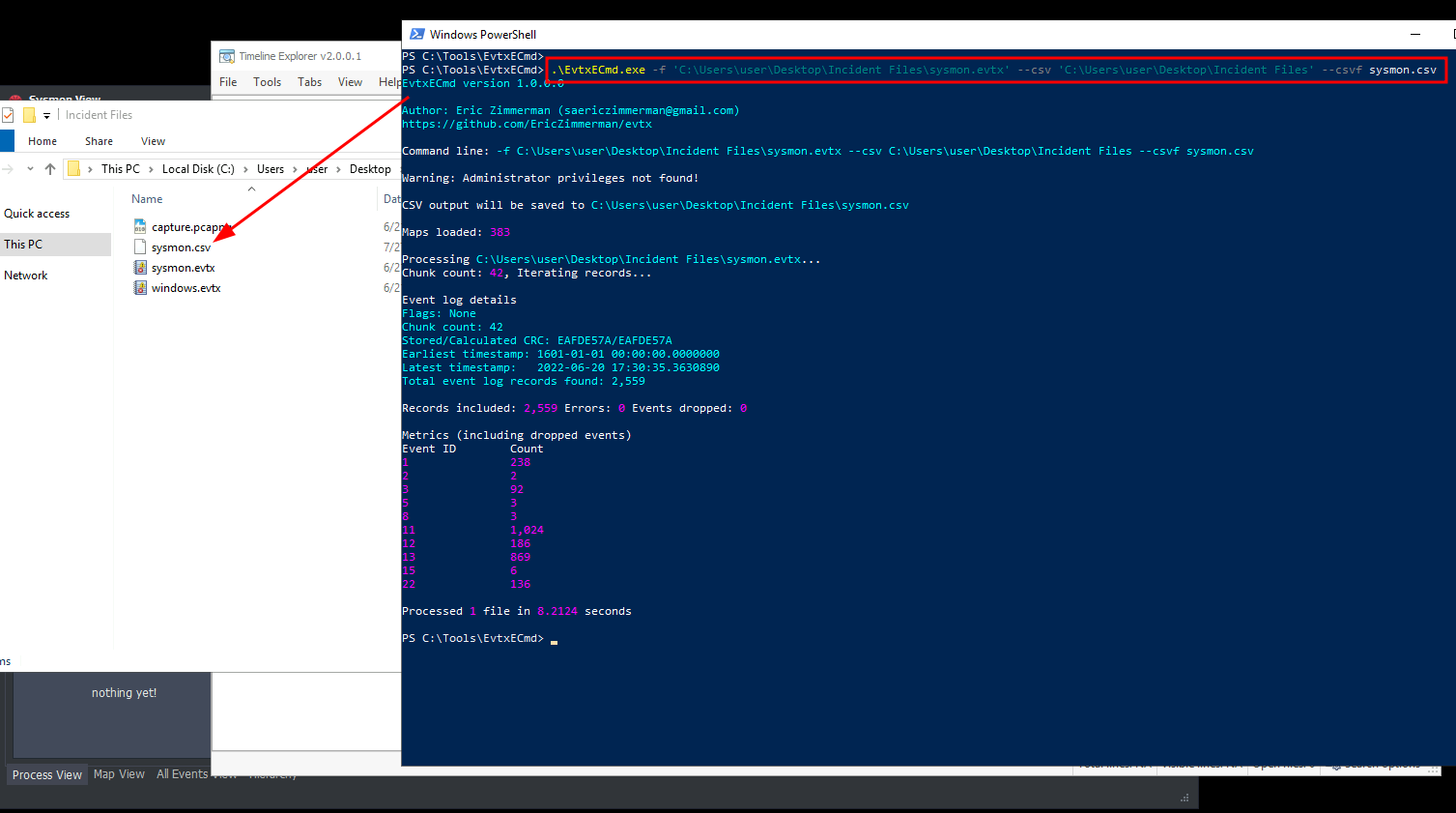
.\EvtxECmd.exe -f 'C:\Users\user\Desktop\Incident Files\sysmon.evtx' --csv 'C:\Users\user\Desktop\Incident Files' --csvf sysmon.csv
Or Convert EVTX to XML using EvtxECmd to import to SysmonView
.\EvtxECmd.exe -f 'C:\Users\user\Desktop\Incident Files\sysmon.evtx' --xml 'C:\Users\user\Desktop\Incident Files' --xmlf sysmon.xml
Output will look like this:
Then For TimelineExplorer.exe, we can load the exported CSV file by doing the following:
File > Open > Choose sysmon.csv from C:\Users\user\Desktop\Incident Files directory
Once the logs are loaded, you may navigate through each column and use the input field to filter specific logs via a unique string. Lastly, you may use the search feature in the upper right-hand corner to find a unique string that may exist on any column.
SysmonView
SysmonView is a Windows GUI-based tool that visualises Sysmon Logs.
Before using this tool, we must export the log file's contents into XML via Event Viewer.